
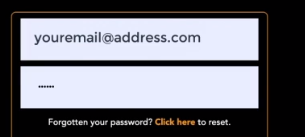
To change your Sprift password, simply open the login page and click the prompt 'Click here' next to forgotten your password.
It is recommended that you choose a strong and unique password to ensure the security of your account. Once you have successfully changed your password, be sure to remember it or store it in a secure location. With Sprift's user-friendly interface, updating your password is a quick and easy process that can be completed in just a few clicks.
If you have any questions or run into any issues, don't hesitate to reach out to our support team at customer.success@sprift.com or 0207 096 0847.
We're always here to help you get the most out of the platform.