
When you log into Sprift for the first time you will see your 'Properties' page. This is where all of the dashboards you view will be saved.
You will see five example addresses. These can be removed by using the 'trash can' button to the right hand side of the address line.
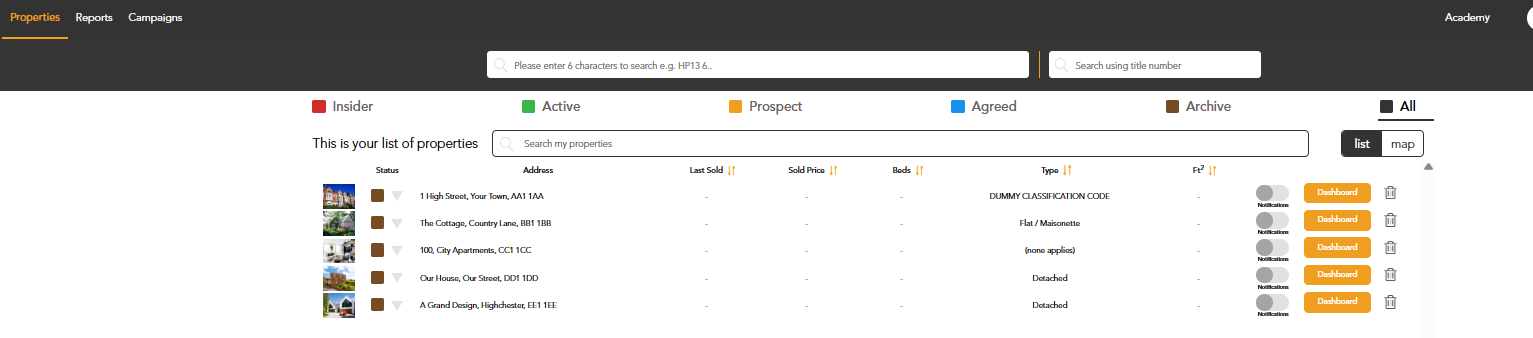
Your listings will not automatically show on this page. Only searched addresses will appear.
If you have any questions or run into any issues, don't hesitate to reach out to our support team at customer.success@sprift.com or 0207 096 0847.
We're always here to help you get the most out of the platform.