
When you subscribe to Sprift, you will receive three postcode districts as part of your subscription. These districts will automatically be added to your account during the onboarding process. However, if you need to modify or update these districts, please reach out to our Customer Success team.
You can view the competitor market analysis for each of these districts individually.
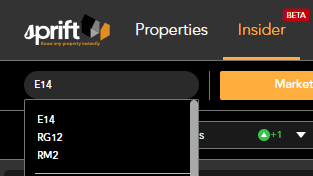
To move between districts click on the postcode box in the top left hand corner. You will see the districts allocated to your account. Simply click on the one you wish to view.
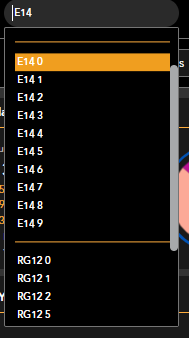
Scrolling down the list will allow you to filter further into postcode sectors
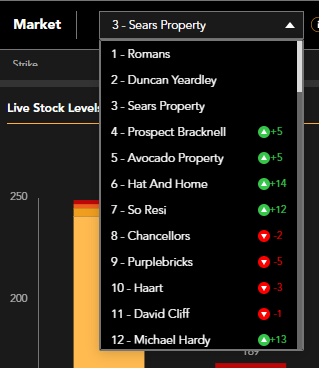
You can easily access information about the active market in your area, whether it's your own agency or any other agent. To switch between agencies, simply use the 'Market' dropdown menu and select the specific agency you want to view. This feature allows you to compare and analyse the performance of different agencies.
If you have any questions or run into any issues, don't hesitate to reach out to our support team at customer.success@sprift.com or 0207 096 0847.
We're always here to help you get the most out of the platform.