
When using the comparables feature, you have the option to add comments to each individual property that you select. This allows you to add your own insights or observations about the property, which can be useful when creating a report.
This feature can be a valuable tool for providing additional context or highlighting important details about the properties being compared.
1. Go to the comparables screen
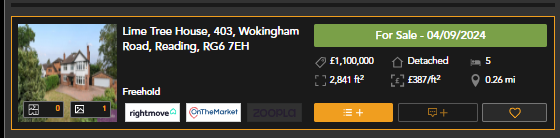
3. Once added to your shortlist you will be able to click to add a new comment
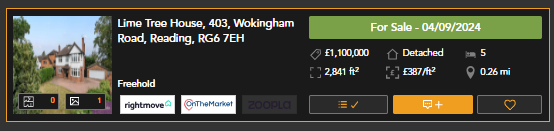
5. Type your comment and submit
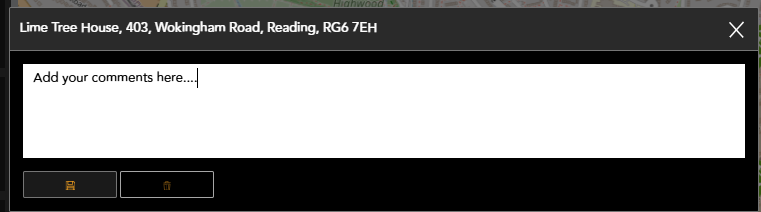
Your comment will now appear within the report
You are able to edit your comments by selecting the 'add comment' button again on this page or from your shortlist.
If you have any questions or run into any issues, don't hesitate to reach out to our support team at customer.success@sprift.com or 0207 096 0847.
We're always here to help you get the most out of the platform.