
The addition of filters to the on market section allows you to further refine your prospecting by narrowing down your target criteria. By utilizing the filter options in the on market section, you can streamline your prospecting process.
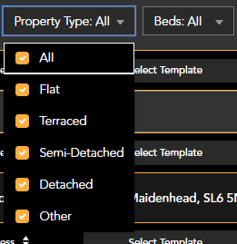
Property type and bedroom numbers can be filtered using the tick boxes within the dropdowns.
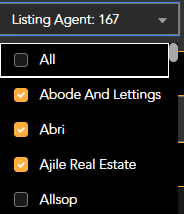
agents listings using the 'Listing agent' filter.
Whilst every effort is made to remove your own listings from the targets, we recommend checking the listing agent filter for your agency name and de-selecting if present.
You can target listings within a price bracket by using the price range filter. This is a sliding filter, use the orange dots to change the values shown in the box.

Once you have selected all of the filters you want to use, select 'Apply'

The property list will then filter out all unwanted addresses.
Filters can be removed by using the 'reset' button
