
To enhance the user experience and make it more appealing to your clients, you can customize the look of the shared report links in your emails.
By making the shared report links more visually appealing, you can grab the attention of your clients and encourage them to click on the link. This can lead to a higher engagement rate and increased interaction with your reports. Additionally, a visually pleasing presentation can instil confidence in your clients, showcasing your attention to detail and commitment to providing a top-notch user experience.
- Once you have created your report copy the link from the report generator page.
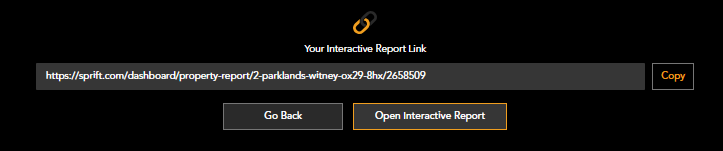
- Paste this link into your email
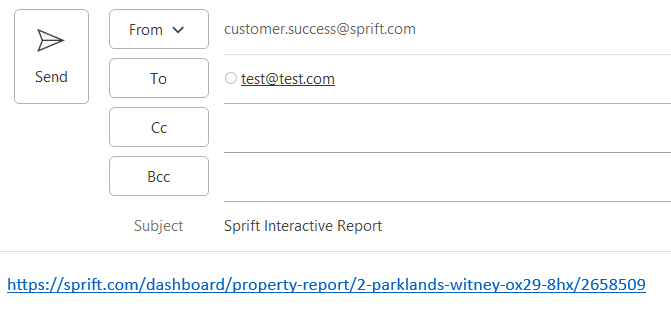
- Highlight the link, right click and select 'edit hyperlink'
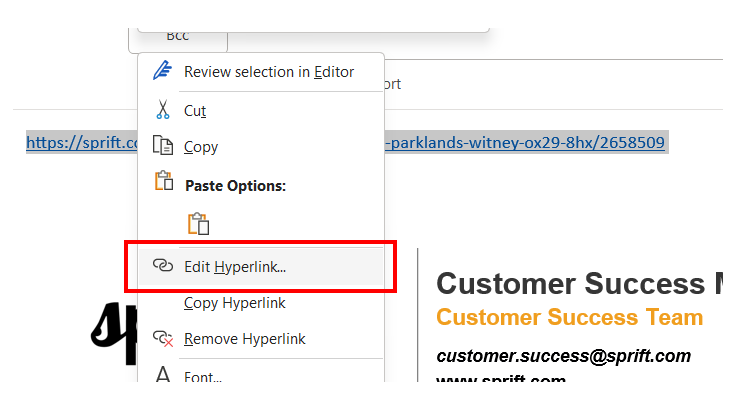
- Use the text box to rename your link

- Your link will then appear renamed within your email

Watch our step by step tutorial
If you have any questions or run into any issues, don't hesitate to reach out to our support team at customer.success@sprift.com or 0207 096 0847.
We're always here to help you get the most out of the platform.