
There are three reports available on the Sales platform and two available on the lettings platform.
Once you have searched for and opened the dashboard of the property you wish to create a report for you will need to follow the below steps:
- Select 'Create' in the top right hand corner of the property dashboard

- From here select the report you wish to create:
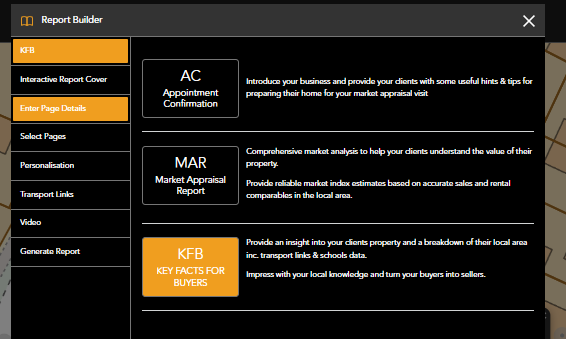
- Within each tab on the left hand side there will be options to include/exclude information, add text and enter property details.
- Some pages can be excluded from the reports by de-selecting them in the report builder.
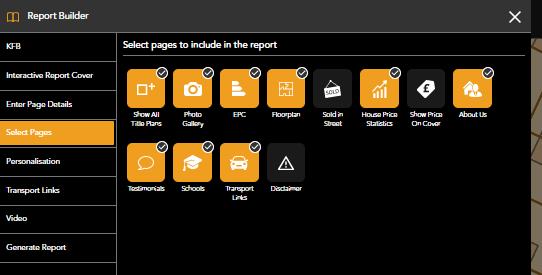
- Once you are happy with your choices proceed to 'Generate Report'
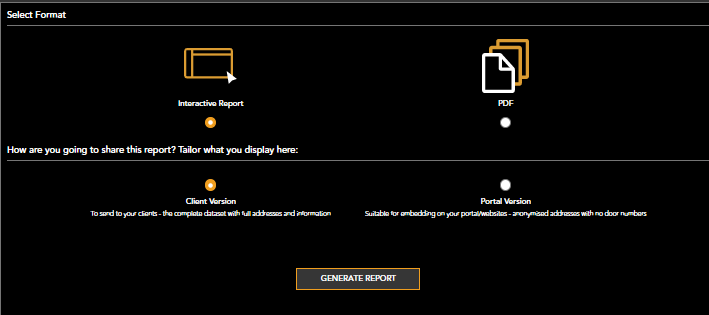
Interactive reports can be shared via email, social media or uploaded to portals whilst PDF reports can be printed.
When created a KFB or KFL you will be given the choice of two versions
*Client version includes the full address of the property
*Portal version will remove door number and only show partial postcode
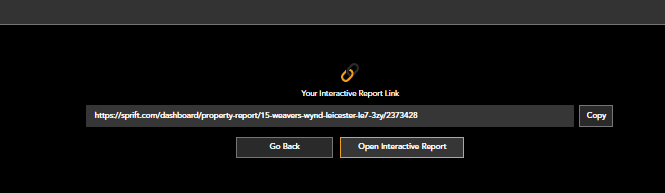
- The interactive report will create a link which can be copied and sent, you can also view the report by selecting 'Open interactive report'
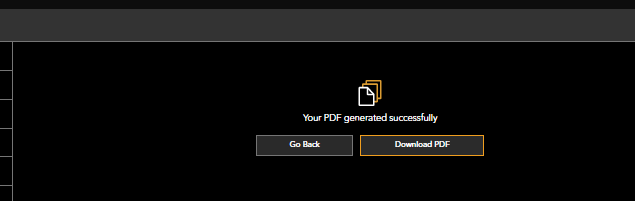
- When creating a PDF you will be given the option to download
Watch our step-by-step video tutorial
If you have any questions or run into any issues, don't hesitate to reach out to our support team at customer.success@sprift.com or 0207 096 0847.
We're always here to help you get the most out of the platform.