
When using Sprift, you can easily access the title information of a property from the Land Registry.
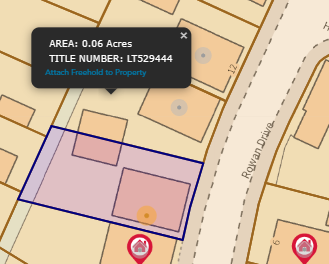
By selecting 'show all title plans', you can see a list of available titles and choose the one you wish to add to your property. Once you have selected the appropriate title, you can attach it to the property by simply clicking 'attach freehold to property'.
With Sprift, accessing title information has never been easier.
Select ‘show all title plans’ on the bottom of the main dashboard screen.
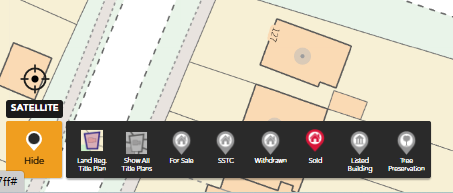
This will then outline all Title plans. Select the title you wish to add and select ‘attach freehold to property’.
For a visual walkthrough of this process, check out our step-by-step video tutorial.
Please note
It is important to note that any additional titles that you attach to the property will not be visible in the report. This is because the report is generated based on the information available in the Land Registry database, which may not reflect the changes you make in the platform.
Please see The title plan is incorrect
If you have any questions or run into any issues, don't hesitate to reach out to our support team at customer.success@sprift.com or 0207 096 0847.
We're always here to help you get the most out of the platform.