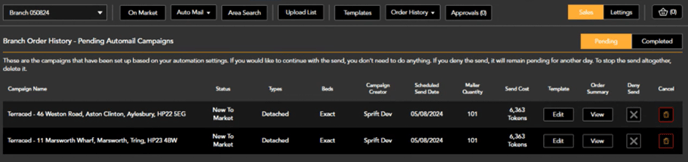
Automated campaigns can be created for all your current stock from new instruction to completions.
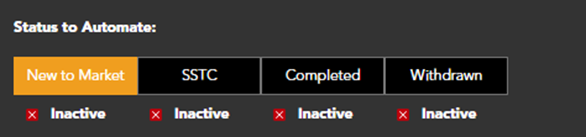
Select which status/statuses you want to automate campaigns for:
Choose which properties types you want to create campaigns for e.g. if you do not wish to create campaigns based on your stock of flats, leave this property type de-selected.
Choose the properties types you wish to mail for each source property, along with bedroom numbers.
Select the template you want to send for these campaigns.
The portal image can be used for campaigns, this will automatically pull through if available.
- Upload an image and resize as required. This image will then be replaced by the portal image for the source property of the campaign where available.
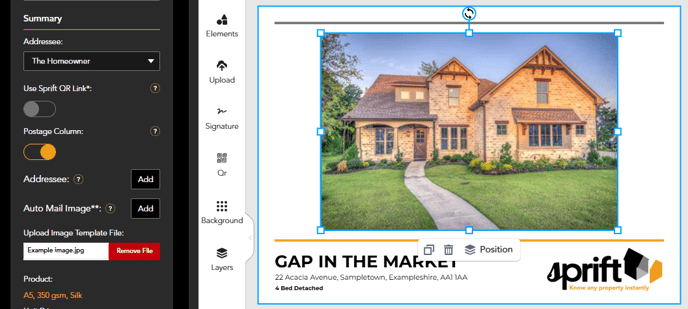
If we are unable to pull the image from the portals your uploaded image will be used.
Set number of mailers to be sent in each campaign.
Example: If you want to create campaigns based on the successful SSTC status of your semi-detached stock, to be sent to the closest 50 semi-detached and detached properties only with +/- 1 bedroom difference than the sold property

Exclusions can be set:
- Constrain to branch postcodes. When selected yes, all addresses shown in your mailing list are within the postcode areas assigned to your account. If switched to no, addresses outside of your postcode areas will be shown until the addresses list meets the number you selected to send to.
- Exclude own stock need to switch to yes to exclude any properties currently listed by your agency, based on your portal ID’s, from the mailing list.
- Exclude Target Address will exclude the address you are creating a campaign from.

Pending orders can then be found in the basket tab. From here you can edit the template, view the recipient addresses or cancel the send.